
📅
Scheduling & shifts
Build and share staff schedules across sites, shifts, and recurring rotations — without the spreadsheet.
Scheduling, attendance, employee hours, medication records, reports, and notes — for care homes, clinics, staffing agencies, and growing service teams.
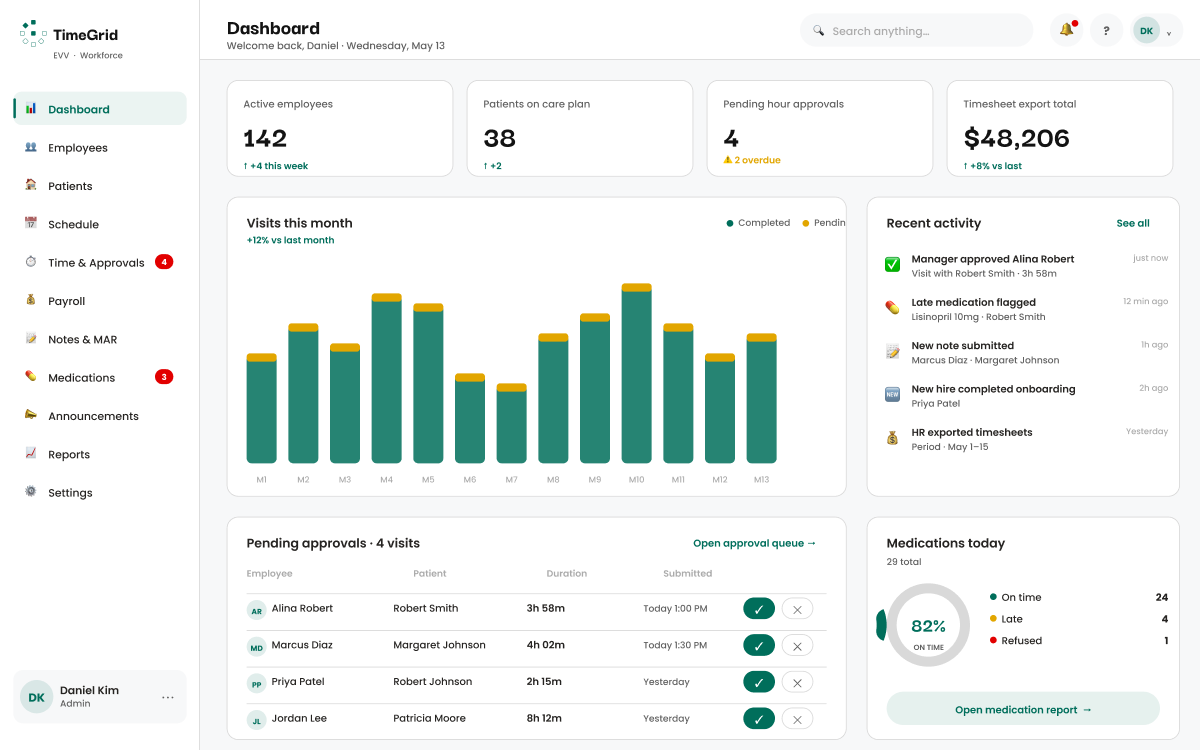
From the first shift scheduled to the final report, TimeGrid replaces the spreadsheets, point tools, and paper files your team runs on today.
Build and share staff schedules across sites, shifts, and recurring rotations — without the spreadsheet.
Staff clock in and out from their own phone. Track attendance and employee hours accurately, in real time.
Capture medication records (MAR), shift notes, and care or work logs — accurate, time-stamped, and easy to find.
Real-time reports on hours, attendance, and workforce productivity — so you always know where things stand.
Whether you run a care home, a clinic, a staffing agency, or a growing service business, TimeGrid adapts to your sites, roles, and shifts — one simple platform instead of five disconnected tools.
No long implementation and no consultants. Set up your team, put the app in their hands, and start tracking work the same week.
Add staff, sites, and schedules. Import what you have or start fresh — most teams are configured in a day.
On the TimeGrid app, staff clock in and out and log hours, notes, and medication records — from any phone.
See hours, attendance, and productivity in real time. Review, approve, and export reports whenever you need them.
Start free, then pick a plan as you grow. No setup fees, no long contracts — cancel anytime.
For small teams getting set up.
Start freeFor growing and multi-site teams.
Book a demoFor large or multi-location organizations.
Contact salesCare homes, staffing and care agencies, clinics, small businesses, and service-based teams — really any organization that schedules staff and tracks hours, attendance, and work.
No. Your team uses the free TimeGrid app on their own iPhone or Android to clock in, log hours, and add notes — nothing to buy or carry.
Scheduling, attendance, employee hours, medication records, shift notes, and reports on workforce productivity — all in one place, instead of separate tools and spreadsheets.
Most teams are configured in a day. Add your staff, sites, and schedules, invite your team, and you’re tracking work the same week.
TimeGrid uses a HIPAA-aware architecture: encryption in transit and at rest, role-based access, and full audit logging. A signed BAA is available on Enterprise.
Yes — that’s exactly who TimeGrid is for. Import your existing roster and schedule, and leave the spreadsheets and paper logs behind.
Book a demo to see it on your team’s real workflows — or start free today and get set up this week.
No setup fees · Cancel anytime · iOS & Android